
How to install the Smart Agent app on Android and desktop
Open app.smartagent.one in Google Chrome. On Android, tap Add Smart Agent to Home screen, or open the Chrome menu and tap Install app, then tap Install. On a Windows PC or Mac, click the install icon at the right of the address bar, then click Install.
What is Smart Agent, and what does installing do?
Smart Agent is an app for textile agents and aadaths to manage their business: bills, supplier and buyer lists, daily collections and invoices. It is an installable web app. Installing it from Chrome adds a Smart Agent icon to your phone’s Home screen or to your computer, so it opens like any other app. The app itself is at app.smartagent.one.
Pick your device below.
How do you install Smart Agent on an Android phone?
-
Open the Smart Agent website in Google Chrome. Open Chrome and type
app.smartagent.onein the address bar. -
Start the install. There are two ways:
- Add to Home screen. Wait a moment. A pop-up at the bottom of the screen reads “Add Smart Agent to Home screen”. Tap it.
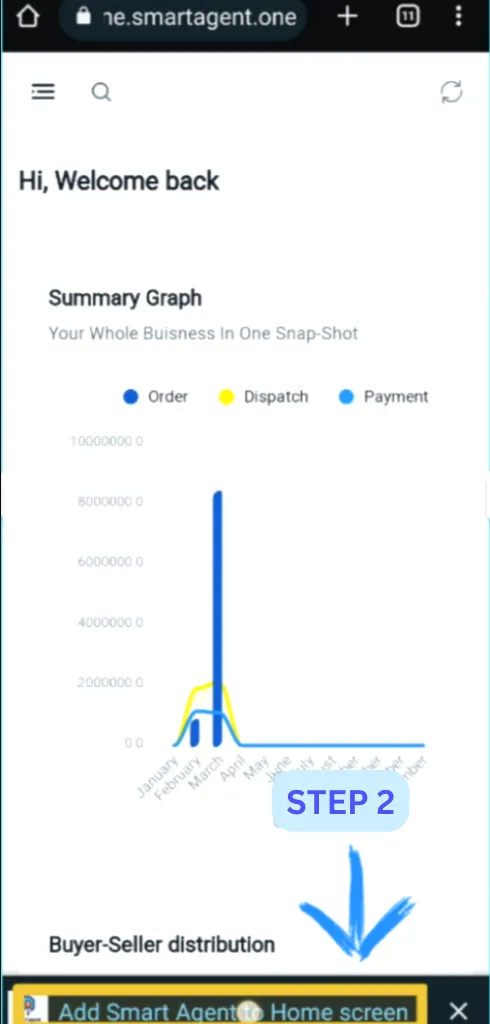
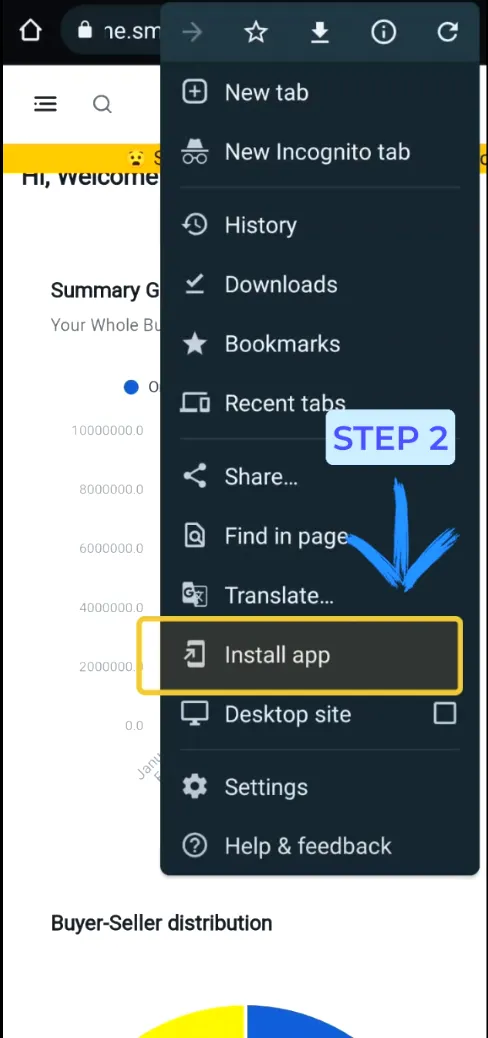
- Install app from the menu. If the pop-up is slow to appear, tap the three dots at the top right of Chrome, then tap Install app.
- Confirm. Either route opens an Install app dialog. Tap Install.
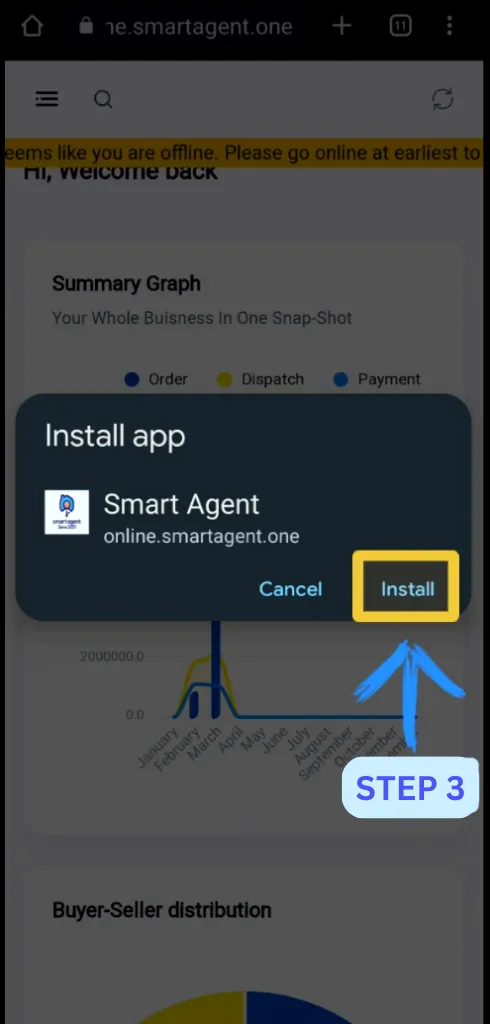
Smart Agent is now on your Android phone. If you get stuck, watch the Android install video on YouTube.
How do you install Smart Agent on a Windows PC?
-
Open Chrome and go to
app.smartagent.one. -
Look at the right end of the address bar, where the bookmark, share and install buttons sit. Click the install button.
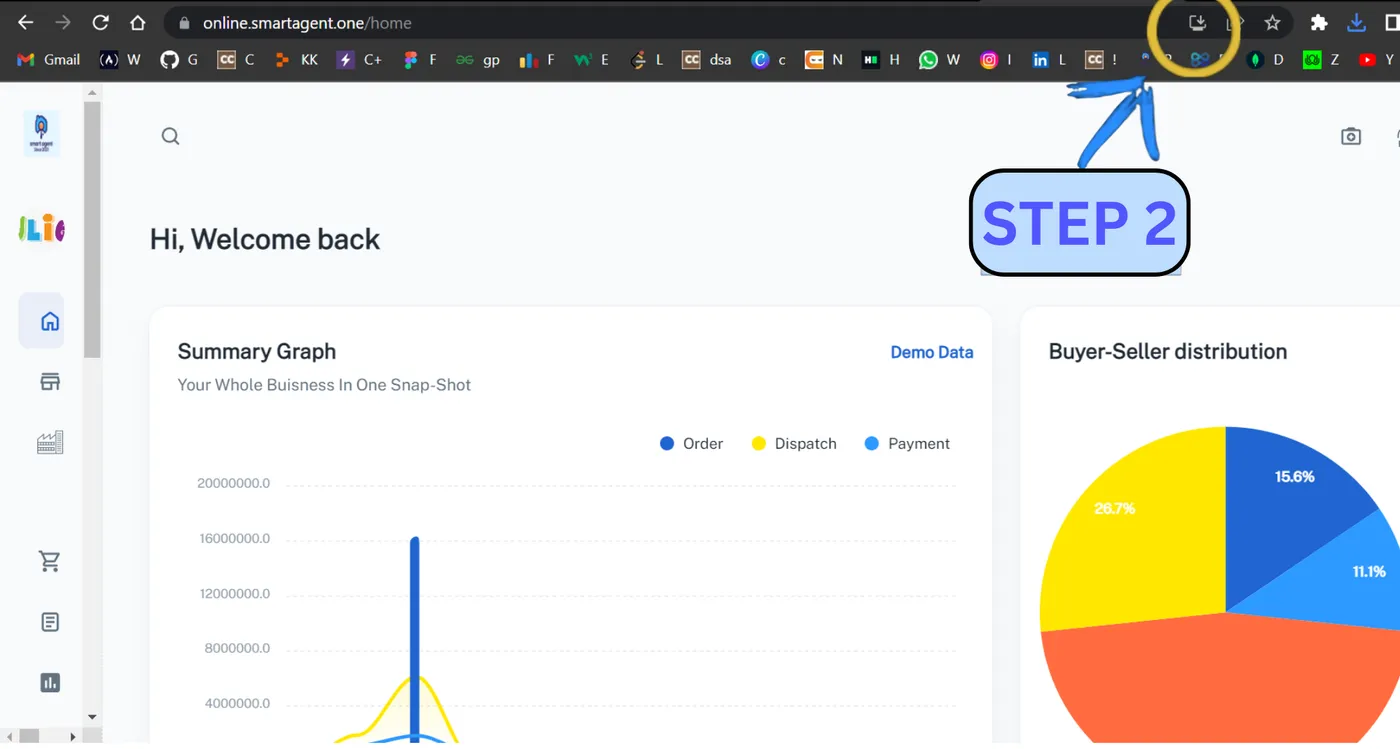
- A pop-up asks “Install app?”. Click Install.
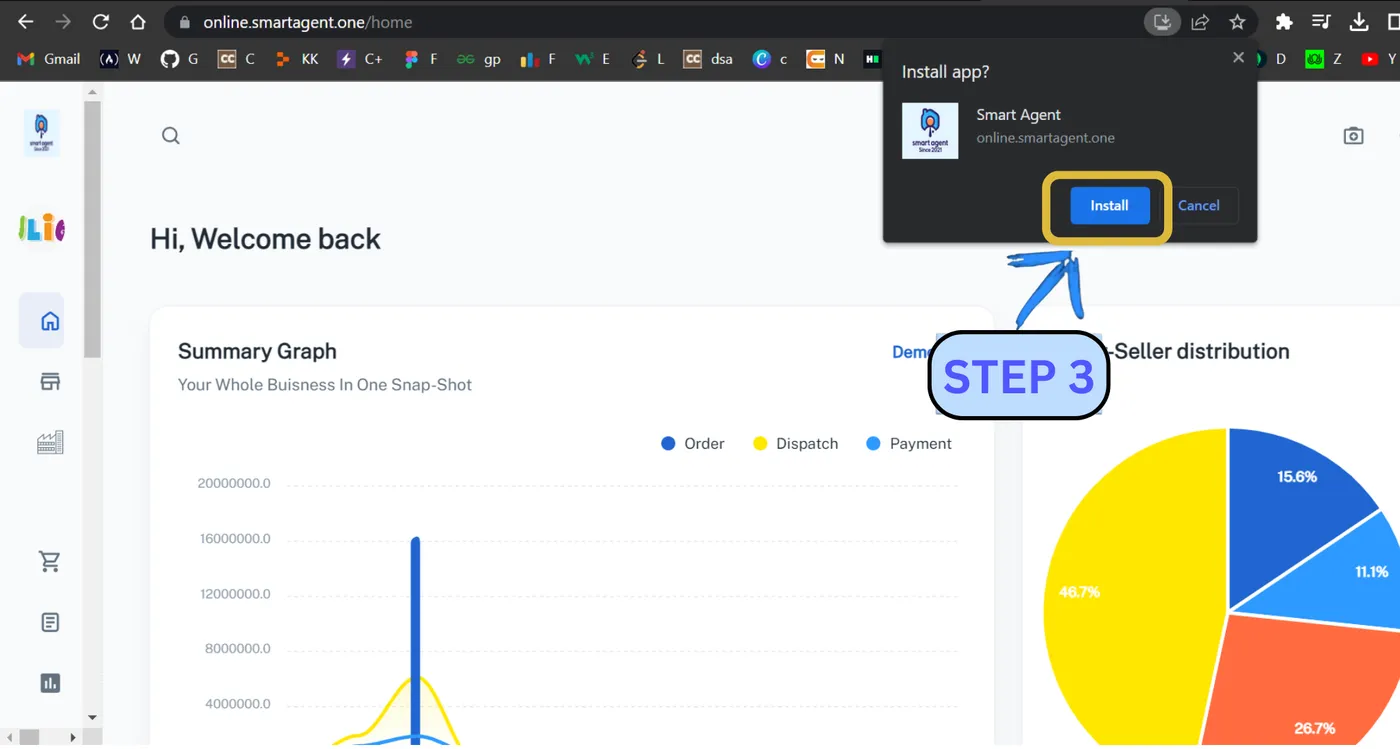
Smart Agent now opens on your computer with all its features. The Windows install video on YouTube shows the same steps.
How do you install Smart Agent on a Mac?
The steps match the Windows steps. Open app.smartagent.one in Chrome, click the install button at the right of the address bar, then click Install in the pop-up.
The two screenshots below come from a second desktop browser and show the same prompt and the same Install button.
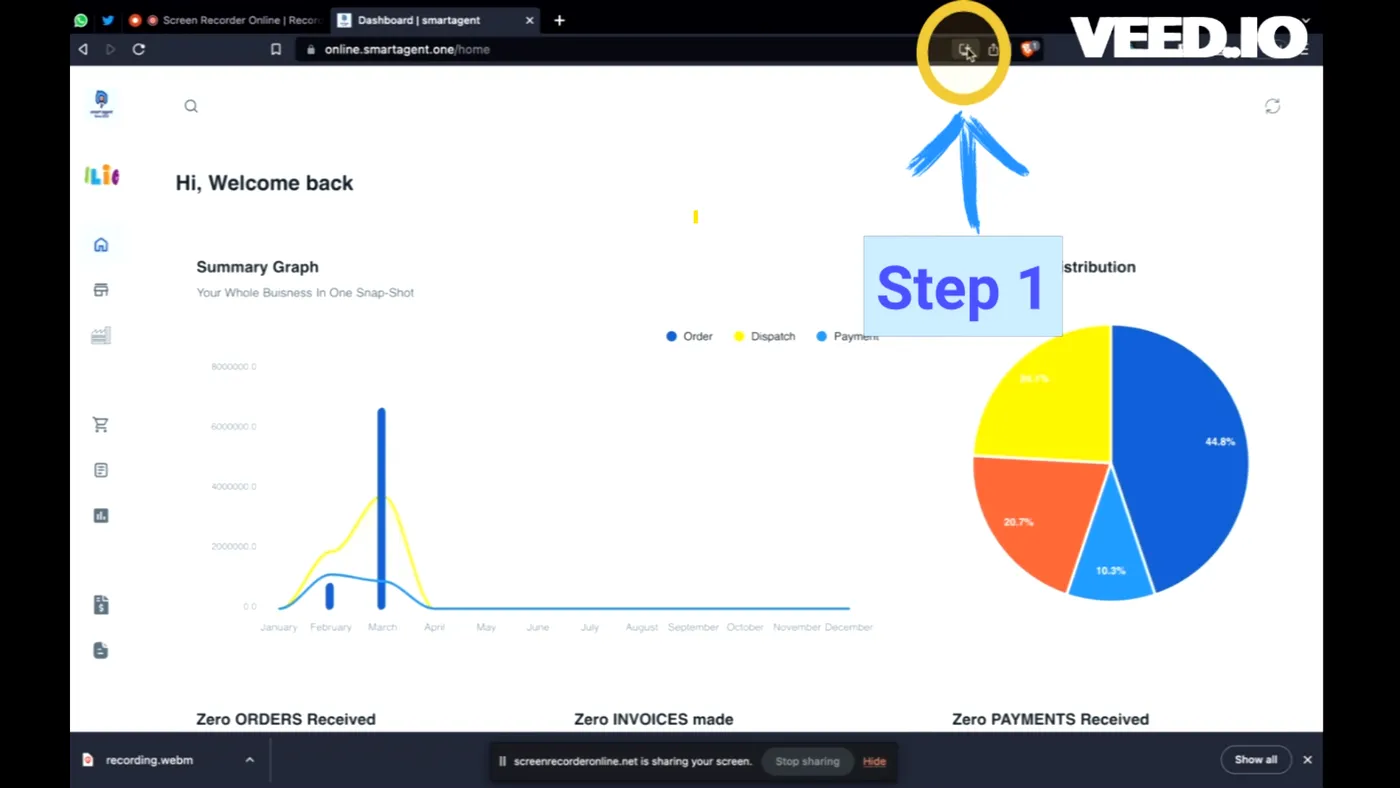
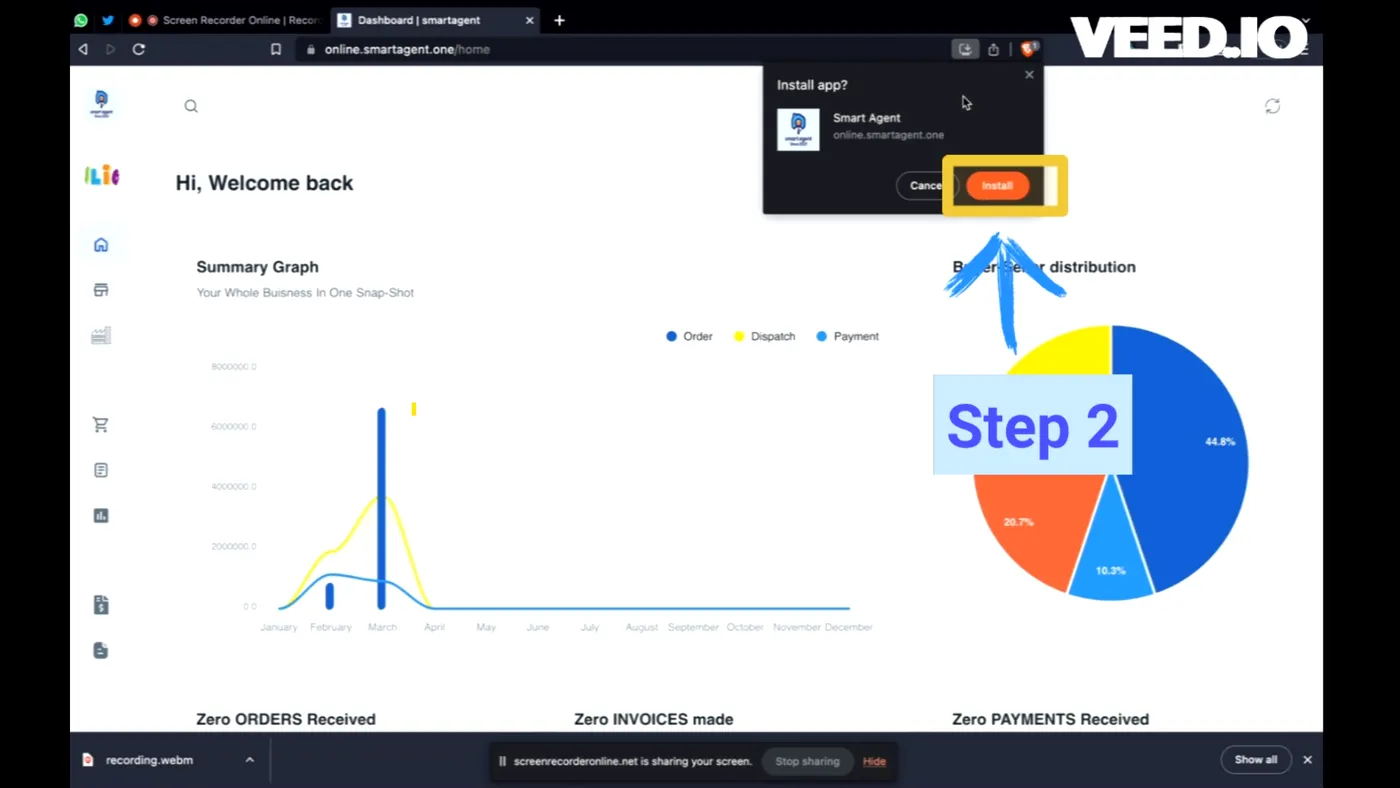
For a walkthrough, watch the Mac install video on YouTube.
What should you do after installing?
Watch the Smart Agent demo video to see the screens, then try finding an invoice in your list. The Smart Agent features page lists what else the app does, and the Smart Agent pricing page shows the seat prices.
Questions this raises
Which browser do I use to install Smart Agent?
Google Chrome. The steps here start by opening the Smart Agent link in Chrome, and the install prompts shown are Chrome's.
What if the Add to Home screen pop-up does not appear on Android?
Open the three-dot menu at the top right of Chrome and tap Install app. It starts the same install.
Can I use Smart Agent on a computer as well as a phone?
Yes. On a Windows PC or a Mac, open the app in Chrome and click the install icon in the address bar. Then click Install in the pop-up.
Are there videos for the install steps?
Yes. There is one for Android, one for Windows and one for Mac, linked under each section.