
what is Smart Agent?
Smart Agent is an application to provide a base for agents to connect buyers and suppliers. In this app, you can manage your bills and supplier and buyer list and work daily collections. In the Smart Agent app, you can Generate invoices by just filling in the details and saving time. You can check other features on Smart Agents’ website – https://online.smartagent.one/
Find an Invoice from your list
We have created a bulk of Invoices daily and having trouble finding the right one from the list. We have so many invoices on our list and it will increase day by day if we want to find any specific invoice then now we don’t have to look for every invoice, We added a new feature for you.
In this feature, You can search your required invoice by search bar, let’s look at the steps.
How to search for an Invoice?
You can find your required invoice through these simple steps
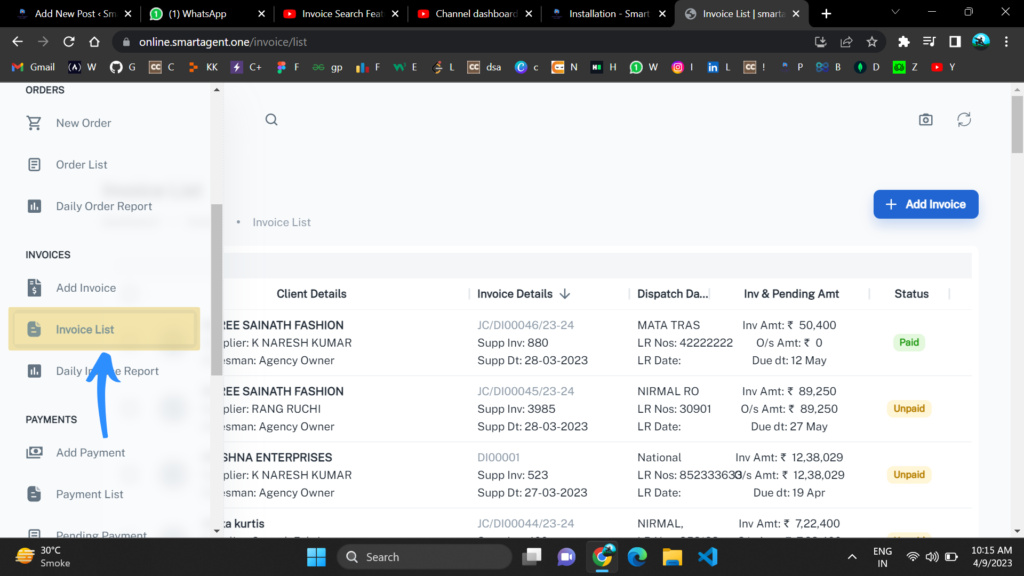
Step 1: Go to Your Invoice List in Smart Agent Software
In your Smart Agent Software, go to the home screen and go to the Invoice List section for searching your required invoice.
Simply click on Menu -> Invoice List
Step 2: Open Search Bar for your Query
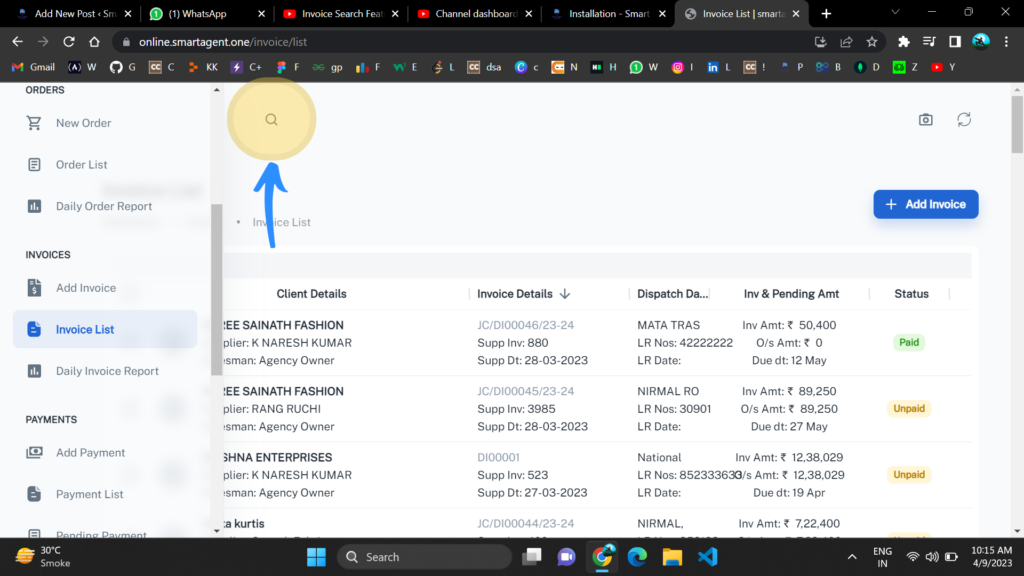
Now in your Invoice List section Click on the Search button given top-left corner of the Screen. From this action, you have opened the search bar for your query.
Step 3: Write your Query
Now You have Opened the search bar in this, you can search for any specific invoice you want. Just type your query and find your required invoice in Smart Agent software.
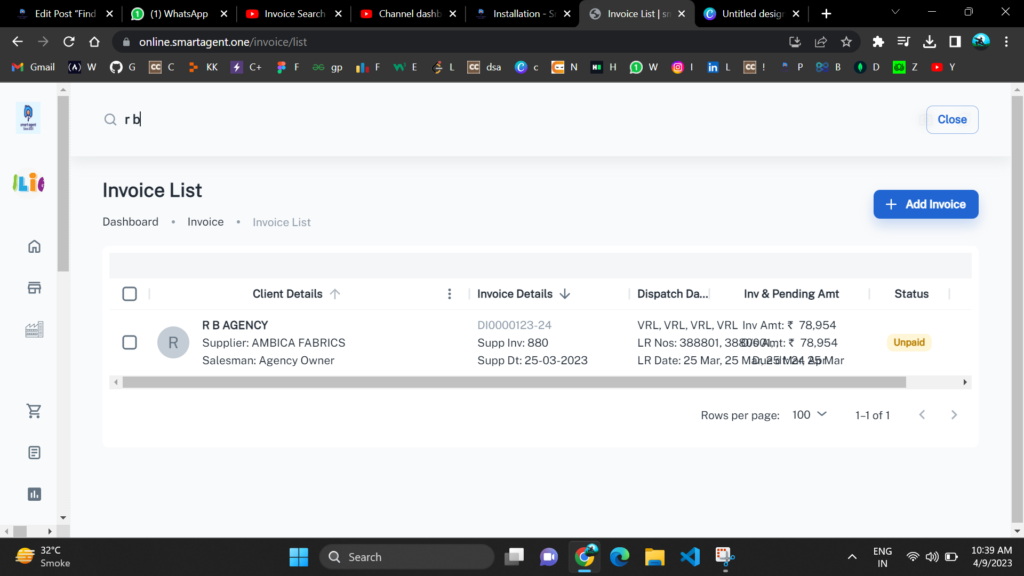
You can Search like this and find your Invoice. but for your convenience, we have put many options to search with. You can search with any of the fields you have and it will give you the result.
You have given mainly 4 various search facilities
1) Buyer Name
You can search through the buyer name and in Smart Agent’s invoice section it will automatically sort those invoices.
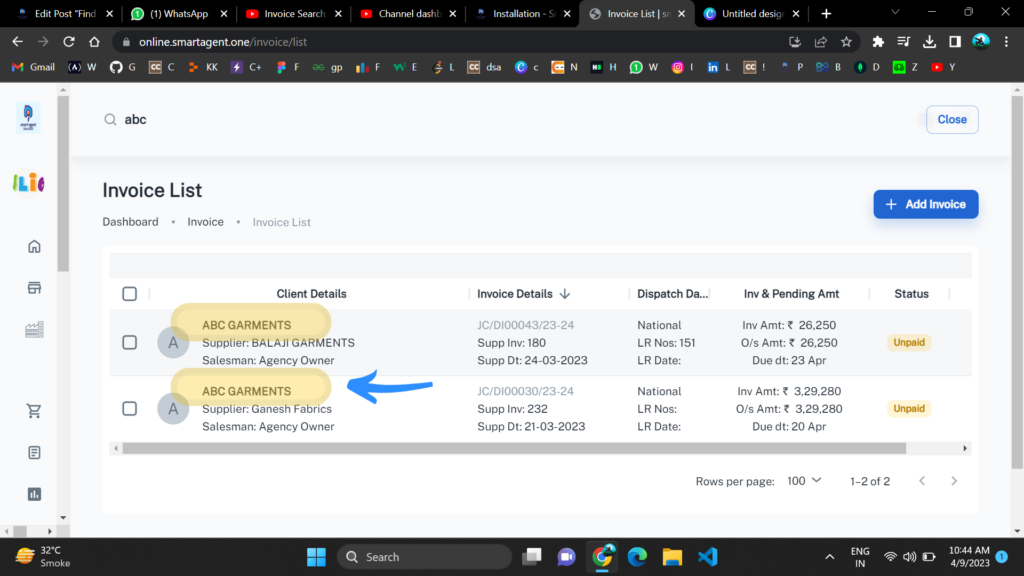
You searched ” ABC ” as the buyer’s name and you have given your required invoice on the basis of that.
2) Supplier Name
You can search through the supplier name and in Smart Agent’s invoice section it will automatically sort those invoices.
You searched ” Naresh ” as the supplier’s name and you have given your required invoice on the basis of that.
3) Voucher/Serial Number
You can search through the Voucher/Serial Number and in Smart Agent’s invoice section it will automatically sort those invoices.
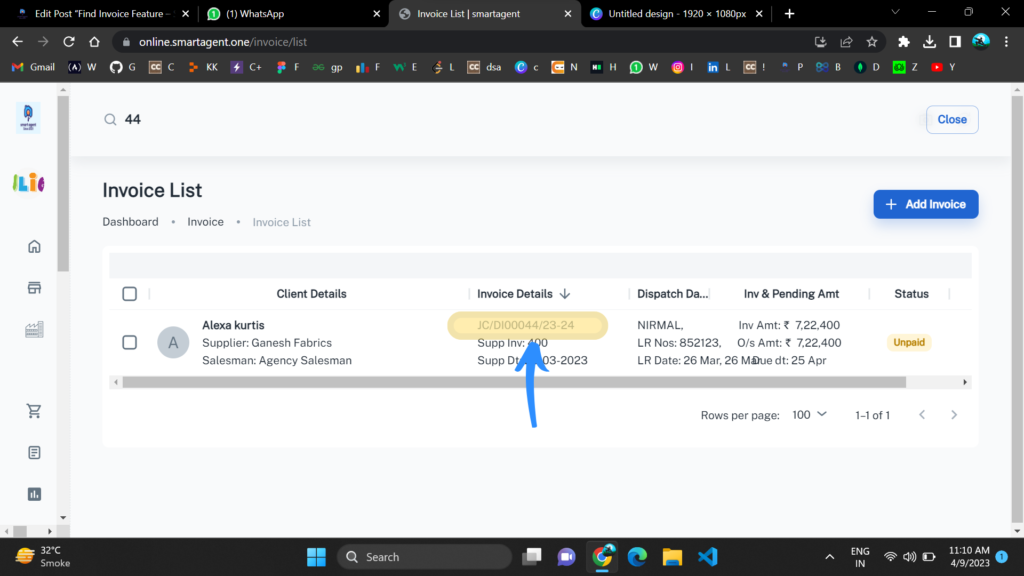
You searched ” 44 ” as the Voucher/Serial Number and you have given your required invoice on the basis of that.
4) Supplier Invoice Number
You can search through the Supplier Invoice Number and in Smart Agent’s invoice section it will automatically sort those invoices.
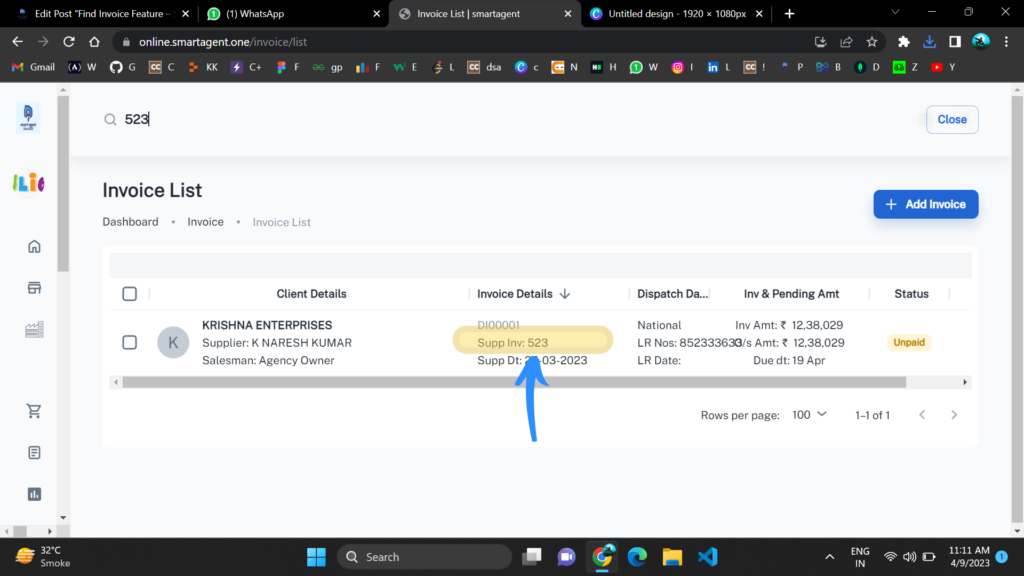
You searched ” 523 ” as the Supplier Invoice Number and you have given your required invoice on the basis of that.
For Installing Smart Agent Software
You can see how to install smart agent software on any device.